AI Chatbot for Veterinary Clinics: Buyer Guide
AI chatbot for veterinary clinics: which chat tasks it should own, a scoped escalation policy, PMS write-back for widgets, and 2026 pricing.
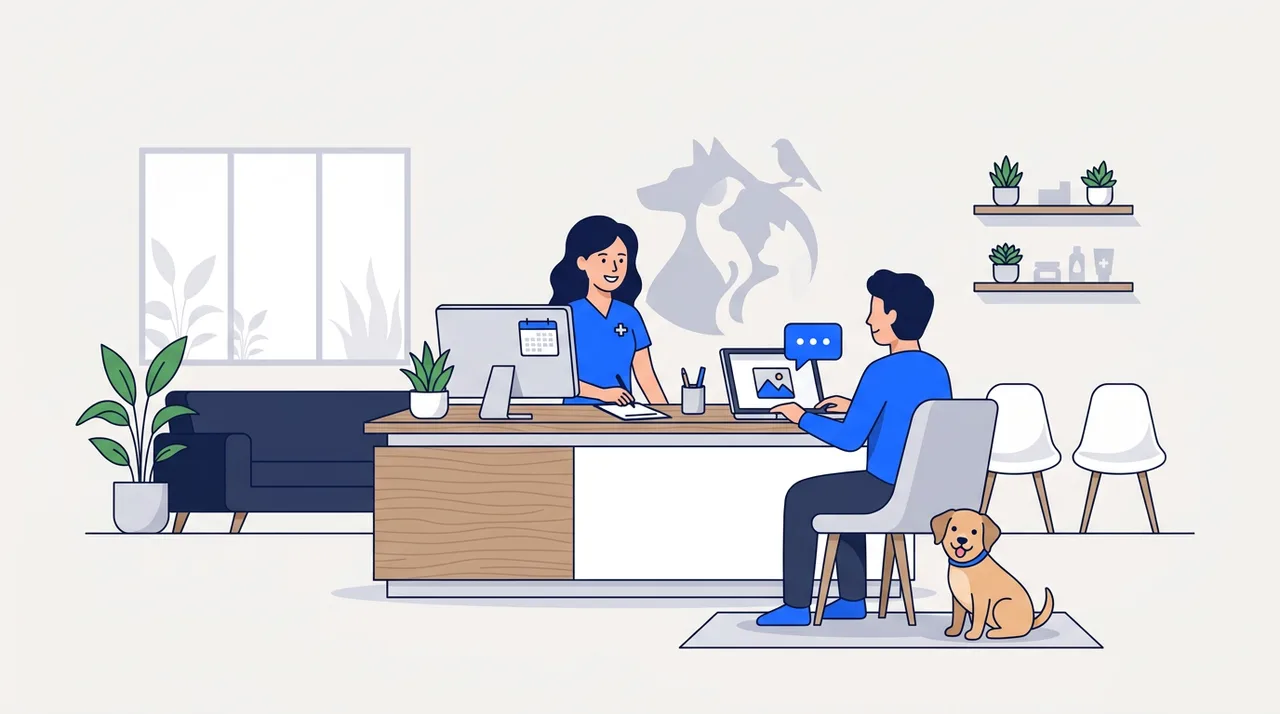
An AI chatbot for veterinary clinics is not a phone receptionist typed into a text box. It is a different channel with different jobs: a pet owner filling out a new-client form at 11 PM, attaching a photo of a rash before anyone on staff has seen it, or picking up a conversation the next morning that they started mid-shift the day before. None of that happens on a phone call. If your clinic already runs (or is shopping for) an AI receptionist for veterinary clinics to handle the phone, this guide covers the separate half of the front desk: the website widget and the written, asynchronous conversations that come through it.
We build AI chatbots for small businesses, veterinary clinics included, and have no SaaS subscription to sell you. The read below on what a chatbot should and should not do is the one we'd want if we were buying instead of building.
Why a vet clinic needs a chatbot that isn't just a phone bot in text form
Most vendors selling an "AI chatbot for veterinary clinics" ship the same script that answers the phone, just rendered as chat bubbles. That undersells the channel. A website chat widget sits in a different part of the client relationship: it is where a new client fills out intake paperwork before their first visit, where an existing client asks a routine question without wanting to wait on hold, and where someone who is embarrassed to say "I think my dog has fleas" out loud will happily type it.
The clinics that get the most value from a chatbot treat it as a separate surface with its own job list, not a cheaper substitute for the phone. That job list is narrower than a phone receptionist's in one important way: a chatbot should never be asked to make a clinical call. It is wider in another: it can collect photos and uploaded documents that a phone call structurally cannot.
What a phone call can't do that a chat thread can
Three things separate the chat channel from the phone channel, and none of the ten competing pages we reviewed for this topic name all three together.
Photo and image intake. A pet owner can attach a photo of a hot spot, a swollen eye, or a limping gait directly in the chat. A phone call has no equivalent; the owner can only describe what they see, and "it looks kind of red" from a panicked owner is a poor substitute for an actual photo a technician can glance at before triage. The chatbot's job here is narrow: accept the photo, store it against the client record if one exists, and route it to staff. It should never attempt to interpret the image itself.
Asynchronous, multi-hour conversations. A phone call has to resolve in one sitting. A chat thread does not. An owner can start a new-client intake form during a lunch break, close the tab, and finish it that evening. A refill request sent at 9 PM can sit unanswered until the front desk opens and still read as a complete, orderly request rather than a missed call. This is the single biggest UX difference between the two channels and the one the SERP for this keyword consistently skips.
Document and insurance-card upload. New pet insurance plans (Trupanion, Healthy Paws, and similar) issue digital cards; a chat widget can accept an upload of that card, or a rabies certificate for boarding, at intake. A phone call again has no equivalent short of "email it to us and we'll match it up later."
None of this replaces the phone. A caller whose dog just ate a chocolate bar should not be typing into a chat widget, and the escalation policy below is built around getting that caller off the chat and onto a phone line fast. But for the large majority of front-desk contact that isn't urgent, a well-scoped chatbot handles work a phone receptionist, human or AI, structurally cannot.
The five jobs a veterinary chatbot actually does well
1. Appointment self-scheduling through a website widget
This is the most commonly advertised feature and the easiest to get wrong. A good implementation shows real open slots pulled from the practice's calendar or PMS, not a generic "request an appointment and we'll call you back" form dressed up as a bot. The distinguishing UX detail versus a phone booking flow: a website visitor can browse available times silently, compare two days, and book without talking to anyone, something a phone flow (voice or IVR) can't offer because a phone call is inherently a real-time, one-slot-at-a-time negotiation.
2. New-client intake completed before the first visit
A new client fills out species, breed, vaccination history, and current medications through a conversational form in the chat widget, asynchronously, before their first appointment. Done well, this noticeably shortens the paperwork at check-in and gives the front desk a filled-out record to review in advance rather than a blank clipboard handed to a nervous first-time client in the waiting room.
3. Medication refill requests, scoped narrowly
The chatbot's only job on a refill request is to capture the drug name and the client's pickup preference (in-clinic pickup, courier, or mail order where the clinic offers it) and route the request to staff. It should never ask about dosage, never confirm a dose is correct, and never suggest an alternative medication. If a client asks "can I give her an extra half pill," the correct chatbot behavior is "that's a question for one of our vets or techs, I'll flag this for a callback," not an answer generated from the drug name in the request.
4. Vaccination and wellness reminder flows
Triggered by PMS data (a rabies booster due in 30 days, an annual wellness exam overdue), the chatbot proactively messages the client through the widget or a linked SMS/email channel and lets them book directly from the reminder. This is closer to a marketing-automation job than a support job, but it belongs in the same tool because it shares the same booking backend as job #1.
5. General questions
Hours, location, parking, exam fees, whether the clinic sees exotics or is small-animal only, whether a specific insurance plan is accepted. Unglamorous, high-volume, and the job every generalist chatbot SaaS handles reasonably well out of the box.
What the chatbot should do when a message sounds urgent
Every competing page we reviewed for this keyword mentions "emergency keyword detection" as a feature bullet. None of them publish what the bot actually says when it fires. That gap is worth closing, because the failure mode (a bot that tries to reassure a panicked owner instead of routing them) is the same liability risk on chat as it is on the phone.
The chatbot's job during an urgent message is narrow: notice the signal and get the owner off chat and onto a phone line. It is not to triage. Our AI receptionist for veterinary clinics guide covers the full five-tier phone triage protocol vets use to sort routine bookings from same-day and life-threatening calls; a chat widget doesn't need that whole apparatus because a chat is not the right channel for an active emergency in the first place. What it needs is a fast, reliable exit ramp.
A working policy looks like this:
| Trigger in the message | Chatbot response |
|---|---|
| Collapse, seizure, not breathing, active severe bleeding, hit by car | "This sounds like an emergency. Please call us right now at [clinic phone] or go to the nearest 24-hour emergency animal hospital. Do not wait for a chat reply." |
| Ingestion of chocolate, xylitol, grapes, a human medication, rat poison, or an unknown substance | "Please call the Pet Poison Helpline at 855-764-7661 or the ASPCA Animal Poison Control Center at 888-426-4435 right away, they can tell you if this needs an emergency visit. I'm also flagging this chat for our staff to call you back." |
| Anything the keyword filter can't confidently classify but that reads as urgent (crying, all-caps, repeated "please help") | Same exit-ramp language as row one, phrased for uncertainty: "I want to make sure you get help fast. If this feels urgent, please call us at [clinic phone] now rather than waiting on chat." |
Two design points worth calling out. First, the phone number and the two poison-control numbers belong in the chatbot's configuration verbatim, the same way they belong in a phone script verbatim, because a bot that improvises a number under a false sense of confidence is worse than a bot that has no answer. Second, the chat widget should surface the clinic's phone number as a visible, always-on element (a persistent header or a pinned first message), not buried three messages into a conversation, so an owner who is already anxious can tap to call instead of continuing to type.
For a client who wants to read the complete phone-triage protocol, tier by tier, cat-specific urethral-obstruction warning included, that lives in the AI receptionist for veterinary clinics guide. The two articles are meant to be read together: this one scopes what a chat channel should attempt, that one covers the full clinical escalation table a phone line needs.
What the chatbot must never say
A chatbot that gives a pet owner false reassurance is the same liability problem in text as it is on a call, and text has one extra risk: an owner can screenshot it. Specific behaviors to rule out before a chatbot goes live:
- No reassurance language on symptoms. "That's probably nothing to worry about" or "your dog will likely be fine" should never appear in a generated response, regardless of how minor the described symptom sounds. The correct default is to route the question to staff, not to answer it.
- No dosing advice, ever. Refill status ("your prescription is ready for pickup") is fine. Anything about how much, how often, or whether to adjust a dose is not, even when a client explicitly asks and even when the answer seems obvious from the drug name.
- No diagnosis, even a tentative one. "That sounds like it could be an ear infection" is a clinical opinion, not customer service. The chatbot's job is to collect the description (and a photo, if offered) and hand it to staff.
- No holding an urgent message for a scheduled reply. If the keyword filter fires, the exit-ramp message above should fire immediately, not queue behind a "we typically reply within a few hours" auto-response.
- No pretending the conversation is with a person if it isn't. Disclosing "you're chatting with our virtual assistant" up front costs nothing and avoids the trust breakdown that happens when an owner realizes mid-conversation they were talking to software.
EMR/PMS integration: does the chat widget write back to your system?
The voice-channel guide covers whether a phone-booked appointment writes into AVImark, Cornerstone, or a newer cloud PMS. That's a different technical question from the one a chat widget raises: does an appointment booked through the website widget land in the same appointment book, and does a refill request submitted through chat route to the correct staff queue instead of a generic inbox nobody checks.
| PMS | Widget-to-PMS appointment write-back | Refill-request routing | Notes |
|---|---|---|---|
| AVImark | Workaround only in most implementations | Manual (staff re-enters into the Rx queue) | Same limited native API story as on the phone side; a "we integrate" claim needs a live demo, not a spec sheet. |
| Cornerstone (Idexx) | Limited native, some vendors use Idexx Web Services | Partial, varies by vendor | Ask specifically whether the widget writes the appointment or just emails staff a summary to enter manually. |
| eVetPractice (Covetrus) | Partial via the Covetrus API | Better than AVImark/Cornerstone | Newer connectors exist; confirm read/write, not read-only. |
| VetSpire | Native API, real read/write | Strong | The best widget-to-PMS story among the systems we checked, cloud-native from the start. |
| PetDesk | Native on the booking layer | Strong for refills routed through PetDesk's own messaging | PetDesk sits in front of the underlying PMS for many clinics; most chatbot vendors integrate through PetDesk rather than the PMS directly. |
| Provet Cloud | API available | Good | Growing US footprint; confirm current coverage for your specific plan tier. |
| Legacy systems (Stringsoft, IntraVet, older DVMAX builds) | None natively | Manual export, staff re-entry | Expect the chatbot to run alongside, not inside, these systems. |
The diligence question that matters more than the marketing page: ask the vendor to show you, live, a refill request submitted through the chat widget landing in the actual Rx queue your pharmacy staff works from. "We integrate with your PMS" is a phrase every vendor in this category uses; a screen recording of the write-back happening is the only version of that claim worth trusting.
The chatbot vendor field in 2026
Three categories show up when you search for this, and they solve different problems.
Generalist chatbot builders with a veterinary vertical page. Products like Robofy, SiteSpeakAI, and Crowdy are built for any small business and publish a veterinary-flavored landing page on top of the same core product. Feature sets are broad (FAQ automation, symptom-adjacent keyword triggers, multilingual support, WhatsApp or WordPress integration) and pricing tends to be transparent, often with a free trial. What they typically lack is PMS-specific write-back depth and a published, vet-appropriate escalation policy rather than a generic "emergency keyword" bullet point.
Vertical-focused chatbot vendors. VetConnect.ai is the clearest example in this bucket: built specifically for veterinary clinics, with tiered pricing and claimed usage across several hundred clinics. The tradeoff versus a generalist tool is a narrower feature set outside the veterinary use case in exchange for deeper vertical fit, in theory. Confirm the PMS write-back claim with a live demo rather than the sales page, the same rule that applies everywhere in this category.
Long-form educational vendors. FastBots and Conferbot both publish long, detailed guides on this exact topic (the two strongest pages in the current search results, in fact) alongside their own chatbot builder products. Their content is a genuinely useful read for ROI framing and general chatbot mechanics; where it falls short for a vet clinic specifically is the same gap as the rest of the field, a feature-bullet mention of "triage" with no actual escalation script behind it.
Done-for-you custom builds. We fall in this bucket, along with a handful of other agency-style shops. The case for custom over SaaS: your clinic runs a legacy PMS none of the SaaS integrations touch, you want the escalation policy written to your specific protocol rather than a generic template, or you want the chat widget and the phone receptionist built as one coordinated system instead of two vendors that don't talk to each other.
If your PMS is on the well-supported list (VetSpire, PetDesk, eVetPractice with a real connector) and your escalation needs are standard, a SaaS tool from either of the first two buckets is a reasonable starting point. If you're on a legacy system or want the chat and phone channels to share one client record and one escalation policy, that's the case for a custom build. For the general economics of that decision outside the veterinary vertical, see our AI chatbot for small business buyer guide, which covers when a SaaS subscription stops being the cheapest answer.
What a veterinary chatbot costs in 2026
Pricing on vendor sites moves often, so treat the figures below as a snapshot from our review of each vendor's own pricing page, not a guarantee of current rates.
| Option | Typical monthly cost | What's included |
|---|---|---|
| Generalist SaaS, entry tier | Free to roughly $50 | Basic FAQ bot, limited conversation volume, thin or no PMS integration |
| Generalist SaaS, mid tier | Roughly $100-$500 | Higher conversation volume, more integrations, some vendors add multilingual support at this tier |
| Vertical veterinary SaaS | Roughly $150-$300, enterprise pricing above that | Vet-specific templates, appointment scheduling, claimed PMS integration (verify with a demo) |
| Done-for-you custom build | Typically $50-$150/month to run, plus a one-time setup fee | Escalation policy and PMS write-back built to your clinic's exact protocol; the widget and phone receptionist can share one backend |
In our project-scoping conversations, a custom chat widget generally costs less to build than a full voice-AI receptionist, since there's no telephony infrastructure or call-audio handling involved. That makes the chat channel a reasonable place to start for a clinic that wants to test whether a custom-built escalation policy earns back its setup cost before committing to a full voice build too.
Questions to ask a chatbot vendor before you sign
A short due-diligence list specific to the chat channel:
- Show me the escalation flow live. Type "my dog ate chocolate" into a demo and watch what happens. If the bot tries to answer instead of redirecting to a phone number and poison-control numbers, that's disqualifying.
- Can it accept a photo upload, and where does the photo go? Ask specifically whether it attaches to a client record or just sits in a generic inbox.
- What happens to a chat thread left open overnight? Does it stay open for the client to resume, or does it time out and lose context?
- Show me a refill request landing in our actual Rx queue, not a generic email, with a live demo against your specific PMS.
- Does the widget replace our website or sit inside it? Some vendors want to host the whole page; most clinics want a widget that layers onto an existing site.
- Where are uploaded photos and documents stored, and for how long? A vendor that can't answer this clearly isn't worth the discount.
- What's the minimum contract term? A 30-day trial you can walk away from beats a 12-month commitment on a tool you haven't tested against your own PMS yet.
FAQ
Can a chatbot replace phone-based triage entirely? No. A chat widget is the wrong channel for an active emergency because it depends on the owner typing and the message being read, neither of which is guaranteed to happen in the next sixty seconds. The chatbot's job in an urgent situation is to redirect to a phone call as fast as possible, not to triage in text. Phone-based triage, covered in our AI receptionist for veterinary clinics guide, stays the right channel for anything that can't wait.
Can pet owners send a photo through the chat widget? Yes, and it's one of the clearest advantages chat has over a phone call. A photo of a wound, rash, or eye issue gives staff something concrete to look at before the visit, rather than a verbal description alone. The chatbot's role is to accept and route the photo, not to interpret it.
What happens if a chat conversation is left unanswered overnight? A well-built flow lets the client resume exactly where they left off rather than starting over, and separately notifies staff of anything that needs a same-day callback once the clinic opens. This is a structural advantage chat has over a phone call, which simply becomes a missed call with no context if nobody picks up.
Does the chatbot need to replace our website, or does it sit as a widget? Most veterinary clinics want a widget layered onto their existing site, not a full replacement. Confirm this before signing; a handful of vendors default to hosting the entire client-facing page themselves, which can complicate branding and SEO for the clinic's own site.
Is a veterinary chatbot different from a general customer-service chatbot? The underlying technology is often similar. What should differ is the content: an escalation policy that surfaces the right poison-control numbers instead of a generic "call us" line, and a refill flow that captures the request without ever drifting into dosing advice. A generalist chatbot repurposed for a vet clinic without those additions is a support widget wearing a paw-print icon, not a veterinary tool.
If your website is fielding intake forms, refill requests, and after-hours questions through a contact form nobody checks promptly, or your current chatbot vendor can't show you a live demo of PMS write-back, book an intro call. We build AI chatbots end-to-end, scoped to your clinic's actual escalation policy, and will tell you honestly if a SaaS tool already covers what you need.