AI Phone Answering for Restaurants (Buyer Guide)
Buyer's guide to AI phone systems for restaurants — split by QSR vs full-service vs catering, with sample call scripts and a real POS integration matrix.
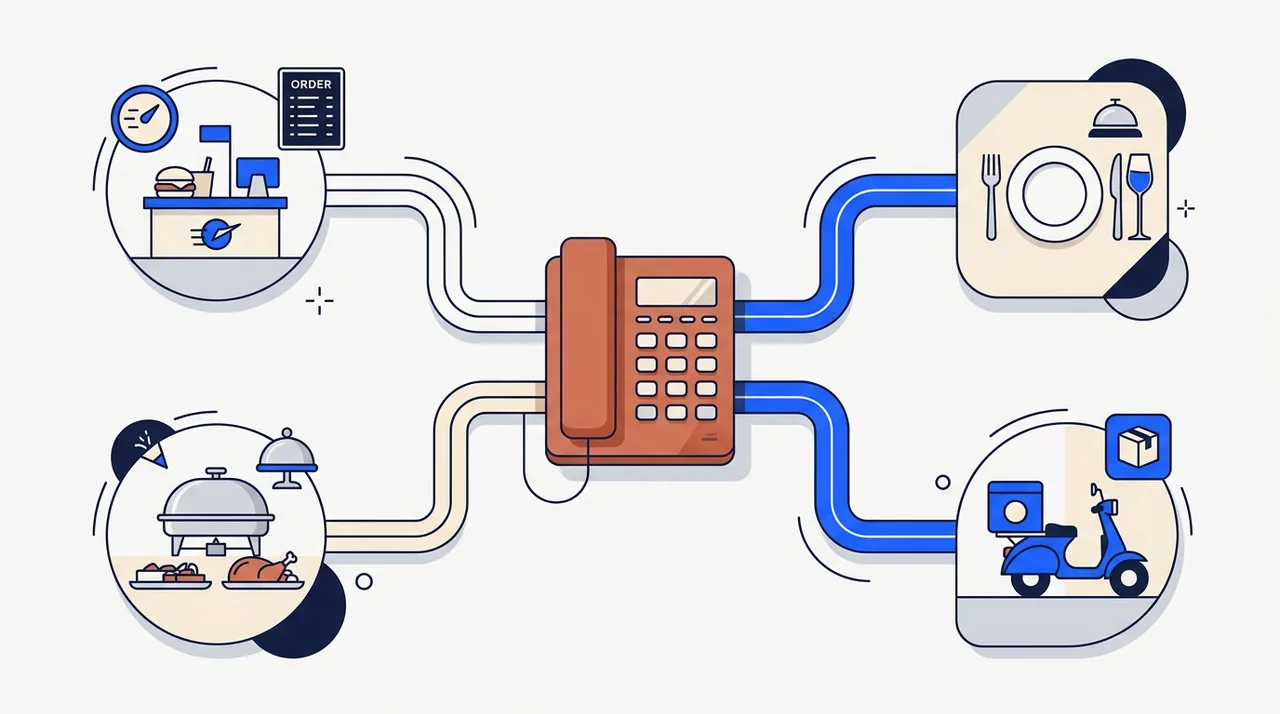
Search "AI phone answering system for restaurants" and you'll find a dozen articles that treat all restaurants as one buyer. A pizza counter, a fine-dining room with a reservation book, and a catering operation closing a $1,800 graduation order are very different phone calls — but the vendor pages talking about them blur the differences and ship the same generic "AI for restaurants" pitch.
This guide does the opposite. It splits the article around four restaurant types — quick-service, full-service, catering, and delivery-heavy — and gives you the sample call scripts, the real POS integration matrix, and the failure modes nobody else publishes. It also tells you when a phone-AI is the wrong answer for your operation, which is something a vendor selling phone AI won't.
The "restaurants" category doesn't exist — pick your operation type first
Before any vendor comparison, decide which type of restaurant you actually run. The four workflows are genuinely different:
| Type | Ticket size | Call cadence | Phone job |
|---|---|---|---|
| Quick-Service (QSR) | $8–$25 | Short bursts at lunch/dinner rush | Take order accurately, send to POS, payment-on-arrival |
| Full-Service (FSR) | $50–$200 | Steady, peaks Thu–Sat evenings | Take reservations, qualify party, manage waitlist, hospitality tone |
| Catering | $200–$2,000+ | Sparse, slower qualification | Capture lead, schedule discovery call, deposit + contract |
| Delivery / pickup-heavy | $20–$80 | Constant during service | Route to direct online order, suppress third-party fees where possible |
A single "best AI receptionist for restaurants" answer is wrong because these four jobs require different conversation flows, different POS integrations, and different KPIs. A QSR cares about order-error rate and time-to-POS. An FSR cares about no-show rate and average party-size accuracy. Catering cares about discovery-call conversion. Delivery cares about deflection rate from third-party platforms back to first-party order pages.
The rest of this guide uses the four-way split. If you run more than one type (a steakhouse with a serious catering program, say), you'll likely need either a vendor that explicitly handles both or a built solution that branches at call intent.
What an AI phone answering system actually does for each type
Quick-Service. Greet, take the order item by item, repeat the modifiers back, confirm the total, write the order into the POS, and pass the caller a pickup time. The bar is order accuracy under noise — sandwich shops at 12:15 PM have line noise, espresso machines, register beeps. A QSR-trained agent should be tested against a real recorded lunch-rush environment, not a quiet demo room.
Full-Service. Greet, qualify the party size and date/time, check availability against OpenTable / Resy / SevenRooms, capture dietary flags and special-occasion notes, book the table, send a confirmation. Hospitality tone matters; an FSR call is the diner's first impression of the room. A reservation booked sloppily ("Sure, party of four at 7?" without confirming "Saturday the 14th") produces no-shows.
Catering. Greet, capture headcount, date, cuisine preferences, dietary needs, rough budget range, and book a discovery call with your catering manager. Don't try to close the sale on the first call — a $1,200 catering order is a managed sale, not a takeout order. The AI's job is to qualify and schedule, not to price the menu.
Delivery / pickup-heavy. Greet, identify whether the caller is ready to order or asking about menu/status, route ordering callers to your direct online-order page (text the link), and handle status-check calls without escalating to staff. Volume reduction is the metric here — a delivery-heavy operation gets 200+ daily calls that are 80% "where's my order" and "do you deliver to XYZ ZIP."
Sample call scripts (the section nobody publishes)
The four scripts below are templates we use with restaurant clients. Names, items, and timing are illustrative. Use them as scaffolds, not verbatim.
QSR — burger counter order:
AI: Thanks for calling Patty & Bun, this is the order line. What can I get started for you?
Caller: Bacon double cheeseburger combo, large fries, Coke, no pickle, extra ketchup.
AI: Got it — bacon double cheeseburger, large fries, Coke. No pickle, extra ketchup on the burger. Anything else?
Caller: Yeah, can I add a chocolate shake?
AI: Adding a chocolate shake. Quick allergy check — anything I should flag for the kitchen?
Caller: No.
AI: Your total is $17.42. Ready in about 12 minutes. Can I get a name for the order?
Caller: Mark.
AI: Thanks Mark, see you in 12. Order is in the system.
The five-step pattern: greet → take items → confirm modifiers → confirm allergens → confirm total → POS write. The allergen check is mandatory even when no allergens were mentioned; it gives the caller a chance to add one and gives the kitchen a clean record.
FSR — Saturday reservation:
AI: Good afternoon, Salt & Stone, this is the reservations line. How can I help?
Caller: I'd like a table for six this Saturday at 7:30, and two of us are vegetarian.
AI: Party of six, Saturday May 31st at 7:30 PM — let me check. We have 7:30 and 7:45 available. Which works better?
Caller: 7:30.
AI: Booked. I've noted two vegetarians for the kitchen. Can I get the name and a phone number for the reservation?
Caller: Alex Reyes, 415-555-0142.
AI: Confirmed. Texting you a confirmation now. Is this a special occasion we should know about?
Caller: Birthday for my daughter.
AI: Wonderful — I'll let the host know. See you Saturday at 7:30.
Notice the date is read back explicitly ("Saturday May 31st") rather than just "Saturday" — this kills the most common no-show cause, which is the caller hearing one date and the agent recording another.
Catering — graduation lunch:
AI: Thanks for calling, this is the catering line for Salt & Stone.
Caller: I need food for about 40 people for a graduation lunch Friday June 6.
AI: Wonderful — graduation event for 40, June 6, lunch. What kind of cuisine are you thinking, and is there a rough budget range?
Caller: Maybe Italian, somewhere around $25 per person?
AI: Italian, about $25 per person, so a $1,000 target. Any dietary needs in the group — vegetarian, vegan, gluten-free, nut allergies?
Caller: Two vegetarians and one gluten-free.
AI: Got it. Last thing — what's the delivery time and address?
Caller: Drop-off at 11:30 AM at 1542 Oak Street.
AI: I have everything. Our catering manager Sarah will call you tomorrow between 10 and 2 to finalize menu and confirm pricing. Best number to reach you?
The catering script is a qualification call, not a sale. The AI captures the seven discovery fields (headcount, date, cuisine, budget, dietary, time, address) and books the human follow-up. Trying to quote on the call gets it wrong.
Delivery — status check + deflection:
Caller: Hey, I ordered through DoorDash twenty minutes ago, where's my food?
AI: Thanks for calling. For DoorDash orders, the delivery status is tracked in your DoorDash app — the driver assignment and ETA show there directly. We hand the order to the driver from our kitchen, and once it leaves, the timing's on their end.
Caller: Okay, but next time, can I just order directly from you?
AI: You can — we save you the DoorDash fees if you order through our website. I'm texting you the link now. Is this number good for the text?
Two things happen at once: status-check deflected from the kitchen, and the next order pulled away from a third-party platform that takes 25–30% of the ticket.
A few patterns that run through all four scripts:
- Mandatory allergen confirm-back on any food order, even when no allergen was mentioned.
- Modifier whitelist per menu item — the agent cannot accept a modifier the menu doesn't carry. ("Gluten-free buns? Let me check — looks like we don't have those today. Want to do lettuce wrap instead?")
- Date read-back as a full date, not a relative day.
- Confirmation text to the caller's number on any booking or order.
- Escalation path to a human voicemail with same-day callback on anything ambiguous.
POS integration matrix: real depth, not just brand names
The vendor pages list POS brand names ("integrates with Toast, Square, Clover"). The useful question is whether the integration actually writes an order into the POS — closing the loop without staff re-keying — or just creates a ticket that someone re-enters at the line. The difference is 5 seconds versus 90 seconds per call at peak rush. Cells reflect vendor-published integration depth as of late May 2026.
| Vendor | Toast | Square | Clover | Lightspeed | TouchBistro | SpotOn | Aloha | OpenTable | Resy |
|---|---|---|---|---|---|---|---|---|---|
| Loman | ✅ writes | ✅ writes | ✅ writes | ❌ | ❌ | ✅ writes | ⚠️ ticket | ✅ writes | ❌ |
| Bitebuddy | ✅ writes | ✅ writes | ✅ writes | ❌ | ❌ | ✅ writes | ❌ | ⚠️ ticket | ❌ |
| Dialzara | ⚠️ ticket | ⚠️ ticket | ⚠️ ticket | ❌ | ❌ | ❌ | ❌ | ✅ writes | ✅ writes |
| MyAIFrontDesk | 🔧 Zapier | 🔧 Zapier | 🔧 Zapier | 🔧 Zapier | 🔧 Zapier | 🔧 Zapier | ❌ | 🔧 Zapier | 🔧 Zapier |
| CloudTalk | 🔧 Zapier | 🔧 Zapier | 🔧 Zapier | ❌ | ❌ | ❌ | ❌ | 🔧 Zapier | ❌ |
| Synthflow | 🔧 Zapier | 🔧 Zapier | ⚠️ ticket | ❌ | ❌ | ❌ | ❌ | 🔧 Zapier | ❌ |
| TendForce (custom) | 🔧 custom | 🔧 custom | 🔧 custom | 🔧 custom | 🔧 custom | 🔧 custom | 🔧 custom | 🔧 custom | 🔧 custom |
Legend: ✅ writes order directly to POS, ⚠️ creates ticket for staff to re-key, 🔧 via Zapier or middleware (adds latency and a monthly cost), ❌ not supported.
The pattern is clear. Restaurant-specialist vendors (Loman, Bitebuddy) have built native POS writes for the top three or four systems and stop there. Horizontal vendors (MyAIFrontDesk, CloudTalk, Synthflow) push you to Zapier for everything, which works but adds operational fragility and ~$30–$70/month in Zapier fees. Reservation-only platforms (Dialzara) own OpenTable and Resy and leave the POS thin.
If your POS is Toast, Square, or Clover, the restaurant-specialist vendors cover you. If you're on Lightspeed, TouchBistro, or Aloha, you're either accepting Zapier-mediated tickets or paying for a custom build.
Peak-hour concurrency: the question nobody asks
Friday 7 PM at a popular FSR can produce 12 concurrent reservation calls. Saturday lunch at a busy QSR can produce 20 concurrent orders. Vendor pages talk about "24/7 answering" and never about how the system performs under simultaneous load.
The questions to ask on a vendor demo:
- How many concurrent calls do you support? (Loman and MyAIFrontDesk advertise unlimited; tiered vendors cap at 5, 10, or 20.)
- Does latency change under load? Demo on 10+ simultaneous calls, not on one.
- If the cap is hit, what happens to the 11th call? (Hold, voicemail, hard fail?)
- Does your POS write succeed at 10+ concurrent? (Some POS APIs throttle.)
A vendor that can't answer 3 or 4 hasn't load-tested. That's a deployment risk, not a deal-breaker — but you'll find out at the wrong moment if you don't ask.
Allergens, modifiers, and the "off-menu" trap
Three failure modes show up in early restaurant AI deployments:
1. The AI invents items not on the menu. A caller asks for "gluten-free buns" and the agent says "no problem" — except the kitchen doesn't stock them. The order arrives at the line, the cook says "we don't carry those," and someone calls the customer back to apologize. Design pattern: the agent works from a strict menu-item whitelist. Off-menu items get a polite "we don't have that, but here's a similar option" response.
2. The AI accepts allergen requests without flagging the kitchen. "No nuts" gets recorded as a modifier note, but the kitchen reads it as "skip the topping" rather than "use a dedicated clean prep surface." Design pattern: allergen mentions trigger a flagged ticket that the kitchen reads differently from a modifier note. The agent reads back: "I've flagged this as a nut allergy — the kitchen will use the allergy protocol."
3. The AI accepts substitutions the kitchen won't make. "Can I swap fries for a salad?" at a QSR that doesn't do swaps. Design pattern: modifier whitelist per menu item, not a free-form modifier acceptor.
These are not vendor-product failures; they're integration-design failures. A vendor with a clean menu whitelist, an allergen-protocol path, and modifier validation has done the work. A vendor whose agent will agree to anything has not.
Cost math by restaurant type
Pricing snapshots from each vendor's published tier as of late May 2026, with 2,000 minutes of usage modeled where the vendor charges per minute.
Quick-Service doing ~800 calls/month × 90 seconds = 1,200 minutes:
- Loman: starts ~$200/month bundled
- Bitebuddy: $100–$400/month, plus $1.50/order on volume tier
- Synthflow: $99/month entry, $499/month Pro
- TendForce managed: $4,000–$6,000/month all-in
Full-Service doing ~300 reservation calls × 3 minutes = 900 minutes:
- Dialzara: pricing not on site; estimate $150–$300/month for this volume
- Loman: $200/month
- MyAIFrontDesk: $65/month entry, $199/month Pro
Catering doing ~50 inquiry calls × 8 minutes = 400 minutes:
- Any vendor's entry tier handles this volume; cost is $100–$200/month
- Catering ROI is per-call, not per-month — one converted $1,500 catering order pays a year of AI
Comparison to hiring a host. A part-time host at $18/hour × 30 hours/week is $2,160/month before benefits and payroll tax. A full-time host is $3,120–$3,600/month. The AI options above run $100–$500/month before custom integrations, so every option is meaningfully cheaper per month than a single hire. The math the vendors don't publish: AI also covers the 7 PM Saturday peak and the 11 PM closing-time orders, which a single host can't.
Decision tree — which AI fits your restaurant
- Single QSR, < 100 calls/day, Toast or Square POS → Loman, Bitebuddy, or Synthflow self-serve. The native POS integration is the differentiator; the price difference between vendors is noise at this volume.
- 1–3 location FSR, OpenTable or Resy → Dialzara or Loman. The reservation-system depth matters more than POS depth at FSR.
- Multi-location chain, mixed POS estate, or unique catering operation → done-for-you build (us or peer agency). Custom integration into Aloha, TouchBistro, or Lightspeed lives here.
- Catering-only operation → AI for first-touch capture + discovery-call booking, human for the close. Don't try to use AI for the catering manager's actual pricing conversation.
- Delivery-heavy operation prioritizing third-party deflection → restaurant-specialist that supports SMS link-out (Loman, Bitebuddy). The ROI is the third-party fee saved, not the staff time saved.
If you're past the comparison stage and want this built and operated for a multi-location or unusual-POS setup, our AI voice agent service covers the build-and-run model. If you're earlier and want to see how the same logic applies in a different vertical, our voice AI for patient intake comparison walks through the same buyer process for medical practices.
FAQ
Can AI answer multiple calls at once?
Most restaurant-specialist vendors advertise unlimited concurrent calls; horizontal vendors cap by tier. Test with a 10+ concurrent demo before signing, not a single-call demo.
Will it accept third-party delivery orders?
It can route status-check calls for third-party orders to the right answer (the customer's app) without escalating to the kitchen. It cannot place orders into DoorDash or Uber Eats on your behalf — those are merchant-controlled. The deflection-back-to-direct-order pattern shown above is the more common use.
Can it handle Spanish speakers?
Restaurant-specialist vendors mostly support English and Spanish out of the box; other languages vary. Ask specifically about the language mix in your customer base, especially if you serve a heavily bilingual neighborhood — language detection in the first three seconds is the design pattern to look for.
What about loud background noise on the caller's end?
Modern speech-to-text handles street noise and ambient restaurant noise reasonably well. The failure mode is the other end: an AI agent placed in a busy kitchen pickup window, where the agent's own audio gets garbled by ambient noise on outbound. Place the agent's "phone presence" on a quiet provider, not on a noisy in-restaurant speaker.
How long does it take to deploy?
Self-serve SaaS for a single-location QSR on a supported POS: 3–7 days. FSR with OpenTable/Resy integration: 5–10 days. Multi-location with custom POS: 4–8 weeks. Anyone promising "live in an hour" is selling you the demo version, not a production deployment with menu validation, allergen flow, and POS writes tested.
Will customers know they're talking to AI?
If you don't disclose, most callers figure it out within two exchanges anyway, and the trust hit is real when they realize the agent is AI and was hiding it. Best practice is to disclose at call start ("This is the automated assistant for Salt & Stone — I can help with reservations or send you to the host stand"). Disclosure rarely costs you the call; concealment occasionally does.
If you want vendor-by-vendor cost modeling beyond the snapshots above, our AI receptionist cost breakdown goes per-tier and per-call across the categories.